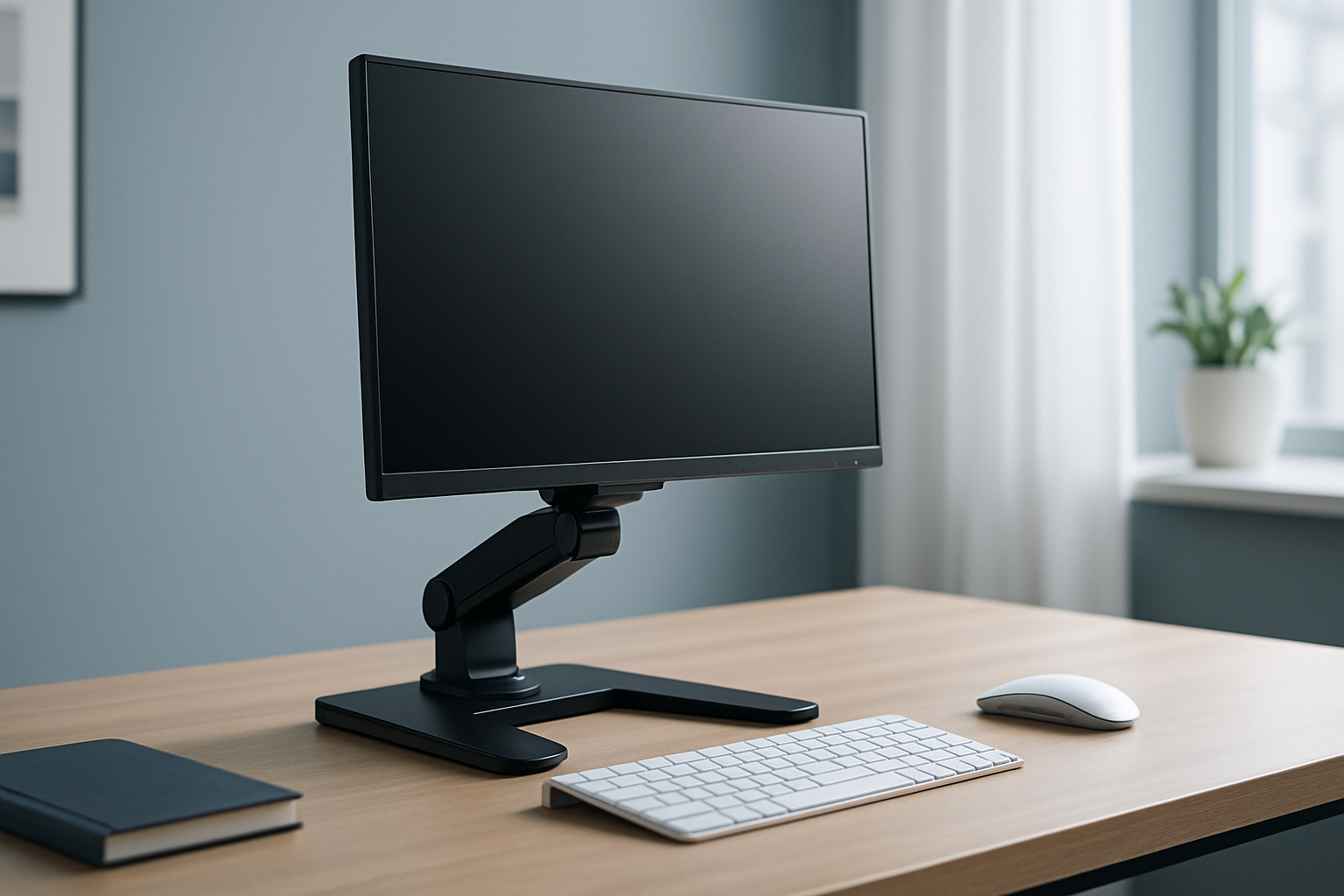
7 Best Ergonomic Monitor Stands for Home Office (Expert Picks)
A good monitor stand can transform your desk comfort, posture, and productivity. In this guide, we review the 7 best ergonomic monitor stand for home office setups across different styles—adjustable arms, simple risers, and sit‑stand converters—so you can match your workspace, monitor size, and budget. We curated these picks based on brand reputation, ergonomics, wide availability on Amazon, and user feedback. Prices and availability can change.
Quick Picks
- Best overall single-arm: Ergotron LX Desk Monitor Arm — premium build, smooth adjustability, long-term favorite. Check price on Amazon
- Best value single-arm: Amazon Basics Single Monitor Stand (Lift Engine Arm) — budget-friendly with solid ergonomics. Check price on Amazon
- Best for dual screens: VIVO Dual Monitor Desk Mount — flexible side‑by‑side positioning. Check price on Amazon
- Best for laptop + monitor: HUANUO Laptop and Monitor Mount — raises both screens to eye level. Check price on Amazon
- Best sit‑stand converter: VariDesk Pro Plus 36 Standing Desk Converter — quick height shifts without replacing your desk. Check price on Amazon
At a glance: comparison table
| Product | Type | Mount style | Supports | Best for | CTA |
|---|---|---|---|---|---|
| Ergotron LX Desk Monitor Arm | Single monitor arm | Desk clamp/grommet (varies by kit) | One monitor | Premium ergonomics and durability | Check price on Amazon |
| Amazon Basics Single Monitor Stand (Lift Engine Arm) | Single monitor arm | Desk clamp/grommet (varies by listing) | One monitor | Value-focused ergonomic upgrade | Check price on Amazon |
| VIVO Dual Monitor Desk Mount | Dual monitor arm | Desk clamp/grommet (varies by model) | Two monitors | Side‑by‑side productivity | Check price on Amazon |
| HUANUO Laptop and Monitor Mount | Laptop + monitor combo arm | Desk clamp/grommet (varies by model) | One monitor + one laptop | Hybrid laptop/monitor setups | Check price on Amazon |
| VariDesk Pro Plus 36 Standing Desk Converter | Sit‑stand converter | Freestanding on desk | Monitor(s) on top tier | Standing without a new desk | Check price on Amazon |
| 3M Adjustable Monitor Stand | Riser/stackable platform | Desktop riser | One monitor | Simple height boost and storage | Check price on Amazon |
| WALI Monitor Stand Riser | Riser/vented metal platform | Desktop riser | One monitor | Budget-friendly stability | Check price on Amazon |
1) Ergotron LX Desk Monitor Arm
If you want a proven, long-lasting arm with buttery‑smooth movement, the Ergotron LX is a standout. It’s a favorite in offices for its durable construction, refined finish, and easy on‑the‑fly height, depth, and tilt adjustments that help you dial in neutral neck posture.
Why it stands out
- Well-regarded build quality with stable positioning once adjusted
- Wide range of motion for ergonomic fine-tuning
- Clean, professional look suitable for any home office
Good for
- Daily multi‑position use, frequent adjustments, video calls, and precise alignment
Consider before buying
- Premium pricing compared to basic arms
- Verify your desk’s clamp/grommet fit and your monitor’s VESA pattern
Pros
- Smooth, precise adjustments
- Trusted brand for durability
- Tidy cable routing on arm segments
Cons
- Higher cost than value arms
- Setup can take a bit longer than a simple riser
2) Amazon Basics Single Monitor Stand (Lift Engine Arm)
A strong value pick that brings ergonomic adjustability to more budgets. The Amazon Basics arm typically offers height, swivel, and tilt adjustments to help you position your screen at eye level without taking over your desk.
Why it stands out
- Solid bang‑for‑buck for single‑monitor setups
- Familiar clamp/grommet mounting for most desks
- Often straightforward assembly
Good for
- First-time monitor arm buyers, students, and budget‑conscious home offices
Consider before buying
- Build feel and finish are more utilitarian than premium
- Check your monitor weight/size and VESA compatibility
Pros
- Affordable path to ergonomic setup
- Flexible positioning for a single display
- Commonly available and easy to source
Cons
- Not as refined as premium options
- May require periodic tension tweaks as you change monitor positions
3) VIVO Dual Monitor Desk Mount
For two displays, this popular VIVO mount helps place both screens at matched heights and comfortable angles. Side‑by‑side alignment can reduce eye and neck travel, improving comfort for analytics, coding, and multitasking.
Why it stands out
- Dual arms with independent adjustability
- Often includes basic cable management guides
- Widely used with a range of monitor sizes
Good for
- Productivity workflows needing two displays at ergonomic height
Consider before buying
- Desk overhang and wall clearance matter for dual arms
- Ensure your desk surface can support clamp pressure
Pros
- Cost‑effective dual setup
- Independent positioning per monitor
- Frees desk space compared to stock stands
Cons
- Alignment can take patience the first time
- Heavier monitors may limit range of motion
4) HUANUO Laptop and Monitor Mount
If you split time between your laptop and an external display, a combo mount can lift both to ergonomic height. This HUANUO option pairs a laptop tray with a monitor arm to help keep your eyes level and reduce desk clutter.
Why it stands out
- Consolidates two devices on one mount
- Elevates laptop screen to align closer to monitor height
- Frees up desk surface under the arms
Good for
- Hybrid workers, small desks, and Zoom‑friendly setups
Consider before buying
- Laptop tray size and ventilation vary by model
- Confirm combined weight and VESA compatibility for the monitor
Pros
- All‑in‑one solution for laptop + monitor
- Helps create a cleaner, more ergonomic layout
- Often more affordable than two separate arms
Cons
- Less minimal look than a single-arm setup
- Typing on the elevated laptop isn’t ergonomic—use an external keyboard/mouse
5) VariDesk Pro Plus 36 Standing Desk Converter
Want to stand part of the day without replacing your desk? A sit‑stand converter like the VariDesk Pro Plus 36 sits on top of your current desk and lifts your monitors and keyboard together. Many users appreciate the quick height changes and sturdy feel.
Why it stands out
- Transitions between sitting and standing in seconds
- Spacious top tier for monitor(s) and a lower tier for input devices
- No drilling or clamping required
Good for
- Tenants or anyone who can’t mount arms or swap desks
Consider before buying
- Takes up more desk surface than an arm
- Weight and size vary—measure your space carefully
Pros
- Stand without modifying furniture
- Stable, straightforward operation
- Often praised for build quality
Cons
- Bulkier footprint on the desk
- Heavier to move than a basic riser
6) 3M Adjustable Monitor Stand
Prefer simplicity? The 3M adjustable riser is a classic platform with stackable height options. It raises your monitor a few inches to bring the top of the screen to eye level—a simple, budget-friendly ergonomic win with bonus storage space underneath.
Why it stands out
- Fast, tool‑free height tweaks (stackable design on many models)
- Stable platform for everyday monitors
- Space under the stand for notebooks or a docking station
Good for
- Fixed-height desks and users who don’t need frequent screen movement
Consider before buying
- Lacks dynamic adjustability of a monitor arm
- Check platform size for larger displays
Pros
- Simple and reliable
- Affordable pathway to better posture
- Extra storage under the riser
Cons
- Limited adjustability compared to arms
- Not ideal for frequent repositioning
7) WALI Monitor Stand Riser
This vented metal riser from WALI offers a sturdy feel and clean look at a very approachable price. The perforated surface can help with airflow for accessories, and the fixed-height boost is enough to improve line of sight for many users.
Why it stands out
- Solid metal platform with a minimalist style
- Often includes non‑slip feet for stability
- Easy to add to any desk—no tools or clamps
Good for
- Tight budgets, student desks, and simple one‑screen setups
Consider before buying
- Fixed height (or limited steps on some variants)
- Measure your monitor base to confirm fit
Pros
- Budget-friendly and sturdy
- Quick ergonomic improvement
- Vented surface for accessories
Cons
- Not adjustable like an arm
- Less tailored positioning than premium solutions
Buying Guide: How to Choose the Right Ergonomic Monitor Stand
Ergonomic range and adjustability
Your goal is to keep the top of the display around eye level and the screen about an arm’s length away, with a slight upward tilt. Arms offer the most flexibility (height, depth, swivel, tilt, and rotation). Risers provide a fixed lift and are best when your ideal height is known and stable.
Desk compatibility and mounting
- Clamp and grommet mounts need a sturdy desk edge and adequate clearance. Check desk thickness and overhang.
- Sit‑stand converters are freestanding, great for renters or glass desks.
- Risers rest on the surface and require no tools.
Weight, size, and VESA patterns
Every arm has monitor weight and size limits and may require a VESA mount (commonly 75×75 or 100×100 mm). Confirm your display’s weight (without the original stand), dimensions, and VESA pattern before ordering.
Single vs. dual vs. laptop + monitor
- Single arms suit most setups.
- Dual arms streamline multi‑monitor workflows; look for independent adjustability.
- Laptop + monitor mounts raise the laptop screen, but you should plan on an external keyboard and mouse for proper ergonomics.
Stability and build quality
A well‑built arm or stand should hold position without sagging or wobble during normal use. Heavier ultrawide monitors especially benefit from sturdy construction.
Space and cable management
Arms can free desk space under the screen; risers add storage below. Integrated cable guides help cut visual clutter. Measure your depth and wall clearance if you plan to pull the monitor closer.
Installation and support
Check what tools are required and whether your desk material is suitable. Review return policies and any available manufacturer support. If you’re unsure, consider products with widely documented setup guides and community feedback.
FAQs
Are monitor arms worth it for a home office?
For most people, yes. Arms make it easier to position your screen at a comfortable height and distance, which may reduce neck and shoulder strain and improve productivity. They also free space under the monitor for a cleaner desk.
Can a monitor arm damage my desk?
Quality arms used on suitable desks rarely cause issues when installed correctly. Verify your desk thickness, edge material, and clamp clearance. For softer or thin desktops, a grommet mount or a protective pad can help distribute pressure.
How high should I set my monitor?
A common guideline is to align the top of the screen around eye level, with the center of the screen slightly below eye level, and keep the screen about an arm’s length away. Fine‑tune based on your chair height and whether you wear multifocal lenses.
Do I need VESA compatibility?
Most monitor arms require a VESA mount on the back of the display. Check your monitor’s specs or look for VESA adapter plates if the pattern is non‑standard. Risers and sit‑stand converters don’t require VESA since your monitor sits on a platform.
What if I use a laptop and a monitor?
A combo laptop + monitor mount raises your laptop to eye level and keeps both screens aligned. For ergonomics, pair it with an external keyboard and mouse to avoid typing on an elevated laptop.
Will a sit‑stand converter replace my need for an arm?
Not necessarily. A converter lifts your whole workspace for standing, but many people still use a monitor arm on top (or choose a converter with enough space to position monitors comfortably). If you want frequent micro‑adjustments, an arm offers finer control.
Conclusion
The right stand depends on how much adjustability you need, your desk type, and whether you run one or two screens (or a laptop combo). For top‑tier ergonomics and longevity, the Ergotron LX is a standout. For value, the Amazon Basics arm delivers. Dual‑screen users should look to VIVO’s dual mount, while renters or those wanting to stand can consider the VariDesk Pro Plus 36. If you prefer simplicity, 3M and WALI risers offer quick, affordable improvements.
Before you buy, confirm desk compatibility, monitor size/weight, and VESA pattern. Prices and availability can change, so check current details on Amazon:
- Ergotron LX Desk Monitor Arm — Check price on Amazon
- Amazon Basics Single Monitor Stand (Lift Engine Arm) — Check price on Amazon
- VIVO Dual Monitor Desk Mount — Check price on Amazon
- HUANUO Laptop and Monitor Mount — Check price on Amazon
- VariDesk Pro Plus 36 Standing Desk Converter — Check price on Amazon
- 3M Adjustable Monitor Stand — Check price on Amazon
- WALI Monitor Stand Riser — Check price on Amazon
Choose the option that matches your space and work style, and enjoy a more comfortable home office.
コメント