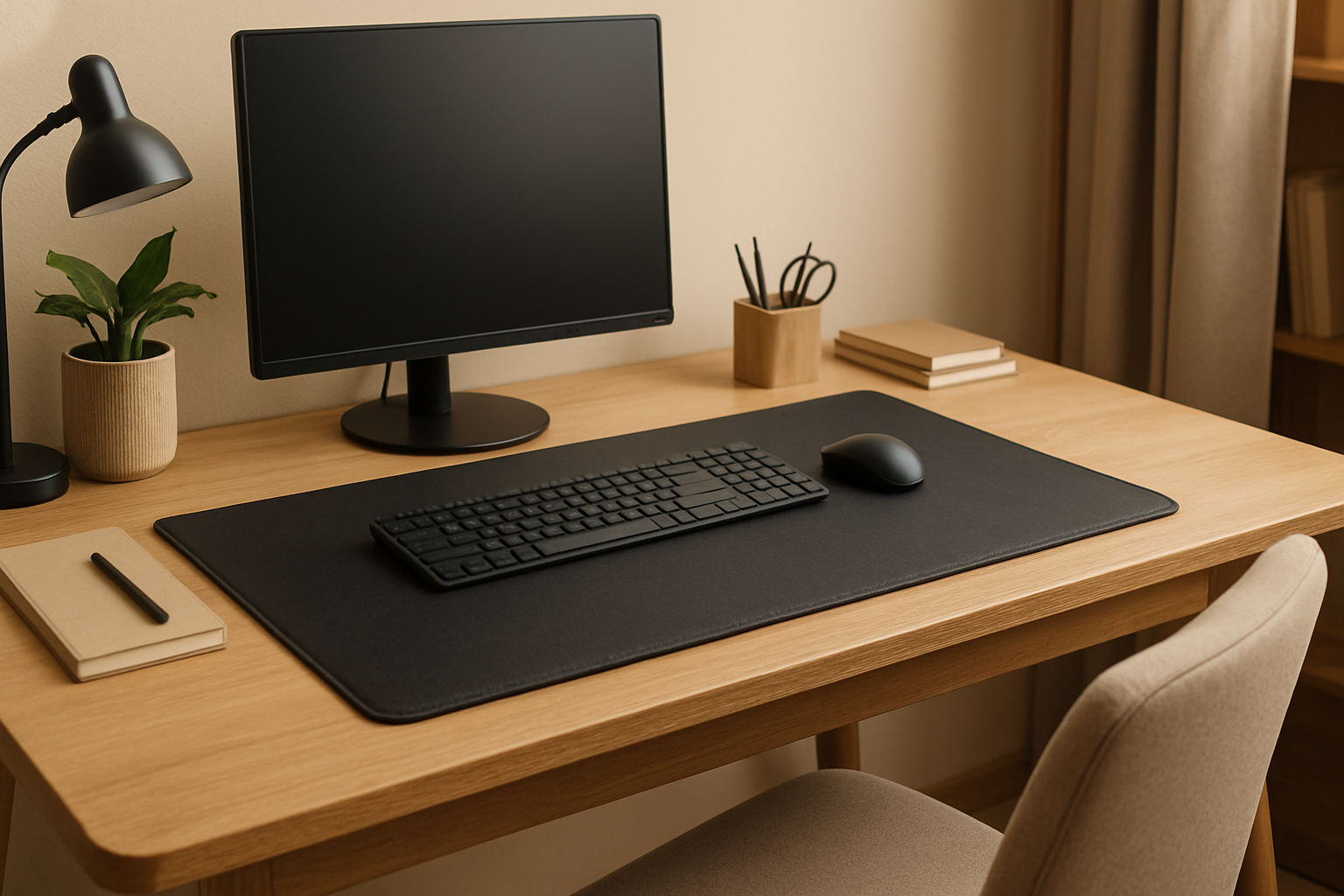
7 Best Ergonomic Desk Mats for Home Office: Top Picks for Comfort and Productivity
An ergonomic desk mat can make your home office more comfortable, protect your surface, tame cable clutter, and improve mouse tracking. If you’re searching for the best ergonomic desk mat for home office use, this guide highlights trusted options across budgets and materials—along with a practical buying checklist to help you pick the right fit. Prices and availability may change.
Quick Picks (from our list)
- Best overall balance of comfort, grip, and style: Logitech Studio Series Desk Mat — Check price on Amazon
- Best for organization and cable management: Orbitkey Desk Mat — Check price on Amazon
- Best budget-friendly PU leather mat: Knodel Desk Pad — Check price on Amazon
- Best premium leather upgrade: Dacasso Leather Desk Pad — Check price on Amazon
Comparison Table
| Product | Surface/Material Style | Notable Highlights | Ideal For | Amazon |
|---|---|---|---|---|
| Logitech Studio Series Desk Mat | Smooth, soft desktop mat | Comfortable typing surface, spill-resistant design | Everyday comfort and style | Check price on Amazon |
| Orbitkey Desk Mat | Premium surface with organizer features | Document hideaway, magnetic cable holder | Clean setups and cable control | Check price on Amazon |
| Satechi Eco-Leather Deskmate | Eco-leather finish | Sleek look, easy to wipe | Minimalist, modern desks | Check price on Amazon |
| Aothia Cork & PU Leather Dual-Sided Mat | Cork on one side, PU leather on the other | Reversible, grippy cork option | Versatility and natural texture | Check price on Amazon |
| Knodel Desk Pad | PU leather desktop mat | Budget-friendly, multiple colors/sizes | Value and desk protection | Check price on Amazon |
| YSAGi Desk Mat | Smooth PU leather surface | Dual-sided color options | Affordable style upgrade | Check price on Amazon |
| Dacasso Leather Desk Pad | Premium leather desk pad | Executive look and feel | Premium, formal offices | Check price on Amazon |
The 7 Best Ergonomic Desk Mats for Home Offices
1) Logitech Studio Series Desk Mat
Well-regarded for its soft-touch surface and clean aesthetic, this mat adds a gentle cushion to your typing and mousing area while helping your peripherals stay put. Its simple, modern design complements most setups and is easy to wipe down—useful if you frequently snack or sip coffee at your desk.
- Best for: Everyday comfort and a tidy, modern look
- Why it stands out: Reliable glide for mice, a bit of cushioning for wrists and forearms, and a finish designed to handle minor spills
Pros
- Comfortable, low-profile surface for typing and mousing
- Generally resists light spills and is easy to clean
- Colors suit minimalist or modern home offices
Cons
- Not a heavy-duty “writing board” feel if you prefer very firm surfaces
- Single-surface design (not reversible)
2) Orbitkey Desk Mat
The Orbitkey Desk Mat blends a premium surface with thoughtful organization features. Many users appreciate the built-in document hideaway and magnetic cable holder that help reduce visual clutter. It offers a comfortable mousing and writing area while contributing to a cleaner, more ergonomic workspace.
- Best for: Organization-focused setups and cable management
- Why it stands out: Integrated cable holder and document storage create a seamless, tidy desktop
Pros
- Organizer features reduce desk clutter
- Smooth mousing area with a refined look
- Helps keep charging cables accessible
Cons
- Typically pricier than basic mats
- Organizational features may be overkill for minimal needs
3) Satechi Eco-Leather Deskmate
This sleek eco-leather mat brings a refined look and a smooth glide for your mouse. It’s designed to be simple to clean and pairs well with metallic or modern desk accessories. If you want an understated mat that adds a premium touch without going full-grain leather, it’s a strong pick.
- Best for: Minimalist, modern desks where style and easy cleaning matter
- Why it stands out: Elegant finish that’s practical for daily use
Pros
- Smooth, consistent mousing surface
- Easy to wipe down
- Stylish aesthetic with modern accessories
Cons
- Not as cushioned as fabric or felt-style mats
- May show marks more readily in lighter colors
4) Aothia Cork & PU Leather Dual-Sided Mat
Offering a natural cork surface on one side and PU leather on the other, this reversible mat gives you two distinct textures. The cork side adds organic warmth and grip, while the leather side is smooth and simple to clean—useful if you alternate between writing and precision mousing.
- Best for: Versatility and a natural texture option
- Why it stands out: Two-in-one design to match different tasks and aesthetics
Pros
- Reversible with two useful surface types
- Cork side tends to stay put on many desks
- Good balance of comfort and utility
Cons
- Cork can be sensitive to heavy inks or stains
- Edges may curl if not stored flat (varies by environment)
5) Knodel Desk Pad
A popular value pick, the Knodel mat offers broad coverage, plentiful color options, and a smooth, easy-clean surface. If you need a large mat to unify your keyboard, mouse, and notebook area without spending much, this one is often shortlisted.
- Best for: Budget-friendly protection and coverage
- Why it stands out: Strong value with lots of size and color variety
Pros
- Affordable with wide size/color selection
- Wipes clean easily
- Covers large desk areas to reduce scratches
Cons
- May lack the premium feel of higher-end materials
- Corners can lift on some surfaces if not flattened initially
6) YSAGi Desk Mat
YSAGi’s desk mat is another budget-friendly PU pick with dual-sided colorways. It offers a consistent mouse tracking surface and a cleaner aesthetic for older or worn desktops. It’s a straightforward, no-frills mat that punches above its price for everyday typing and browsing.
- Best for: Affordable style upgrade with reversible colors
- Why it stands out: Clean look and versatile color choices at a wallet-friendly price
Pros
- Reversible design with two colors
- Smooth mousing and writing surface
- Easy maintenance
Cons
- Not as plush as fabric mats
- May slide slightly on ultra-slick desktops without additional grip
7) Dacasso Leather Desk Pad
A premium, executive-style desk pad that elevates any home office. The finish provides a refined writing surface and a professional look. If you’re curating a high-end setup and want a pad that doubles as a statement piece, Dacasso is a go-to brand.
- Best for: Premium builds and formal work environments
- Why it stands out: Luxurious look and feel with a sturdy writing surface
Pros
- High-end, professional appearance
- Firm support for writing and paperwork
- Durable feel with long-term appeal
Cons
- Premium price bracket
- Leather can require occasional care
Buying Guide: How to Choose the Right Ergonomic Desk Mat
Size and coverage
Measure your available desk space and decide whether you want the mat under just your keyboard and mouse or across the full width of your setup. Larger mats help unify your workspace, reduce sliding, and protect more surface area, while smaller mats can target a primary working zone.
Surface feel and cushioning
The right texture can improve comfort during long sessions. Softer, fabric-like mats add a touch of cushion for wrists and forearms, while firmer surfaces support handwriting and paperwork. Choose what feels better for your daily tasks.
Mouse tracking performance
If you use a mouse for precise work, prioritize a surface known for consistent tracking. Smooth PU or eco-leather often provides reliable glide, while some textured fabrics can add a bit more control. Consider your mouse sensitivity and preferences.
Desk grip and stability
A mat that shifts can be distracting. Look for options with naturally grippy backings (like cork) or surfaces that lay flat and stay put on your specific desk material. If your desktop is exceptionally slick, consider a mat with a tackier underside.
Water and stain resistance
Coffee happens. If you keep drinks at your desk, a wipe-clean surface helps prevent stains. PU and eco-leather are typically easier to maintain than felt or wool-style mats, which may need more mindful care.
Edge finish and durability
Edge stitching or reinforced borders can help mats hold their shape over time. If you tend to move your mat frequently or roll it up, durable edges reduce the risk of fraying or curling.
Organization features
Cable holders, document hideaways, and modular add-ons can reduce clutter and improve ergonomics by keeping essentials within reach. If you like a spotless desk, these features are worth seeking out.
Aesthetics and materials
Your desk mat is a centerpiece. Consider color coordination, material warmth (like cork or leather), or a sleek modern look to match your workspace. Visual comfort can support focus and a positive work routine.
Sustainability and care
If eco-friendliness matters, look for materials marketed as recycled, eco-leather, or cork. Check basic care guidelines—some materials are more sensitive to ink or heat than others.
Budget
You can find capable mats at value prices, while premium leather and designer options cost more. Decide what matters most—looks, organization, or longevity—and align your spend accordingly.
FAQs
Are desk mats really ergonomic?
A desk mat can contribute to ergonomics by adding a more comfortable surface for your wrists and forearms, improving mouse tracking, and reducing micro-movements from sliding peripherals. While it’s not a medical device, it can support better posture habits when combined with proper chair height, monitor positioning, and breaks.
What size desk mat should I get?
Match the mat to your workflow. If you often write by hand or use a large keyboard and mouse area, a wider mat helps. If space is tight, choose a mat that covers your immediate typing and mousing zone without crowding other items.
Which material is best?
There’s no single “best” material. PU or eco-leather is easy to clean and offers smooth tracking; cork adds natural grip and warmth; fabric can feel softer under the wrists. Pick based on comfort, cleaning needs, and the look you want.
Will a desk mat help my mouse accuracy?
A consistent surface can help many mice track more predictably. If you’ve struggled with a glossy or uneven desk, a mat with a uniform finish may improve pointer control.
How do I clean a desk mat?
For most PU or eco-leather mats, use a slightly damp, non-abrasive cloth and mild soap if needed. For cork or fabric-style mats, spot-clean gently and follow the manufacturer’s care guidance to avoid damage.
The Bottom Line
The right desk mat can subtly but meaningfully improve comfort, organization, and focus in your home office. For a well-rounded pick, consider the Logitech Studio Series Desk Mat. If you value built-in organization, the Orbitkey Desk Mat stands out. Budget-minded shoppers can look to Knodel or YSAGi, while premium setups shine with Dacasso’s leather option. Choose the size, feel, and features that fit your workflow—and enjoy a cleaner, more comfortable workspace.
Prices and availability are subject to change.
コメント